USFans · English
USFans Returns and Refunds: Window, Costs and Status
Understand USFans returns and refunds: merchant permission, the warehouse request window, operation fees, exclusions and the difference between approval and credit.
Updated
On this page
Short answer: a return needs the merchant's permission and a request inside the warehouse window. Approval, return transit and the refund credit are separate stages, and some costs can still apply.
Check the item and the window first
USFans help record HCON_STATIC_029, checked on 4 September 2026, requires the merchant's rules to allow a return or exchange and a request within five days or 120 hours after warehouse intake. The first non-Prime return or exchange in a calendar month has its operation fee waived, later operations use tiered charges, and applicable China domestic delivery remains payable.
The same record lists excluded product types including customised items, goods with removed tags, intimate products and food. Read the current version for your specific order instead of relying on a summary.
Track the refund separately from return approval
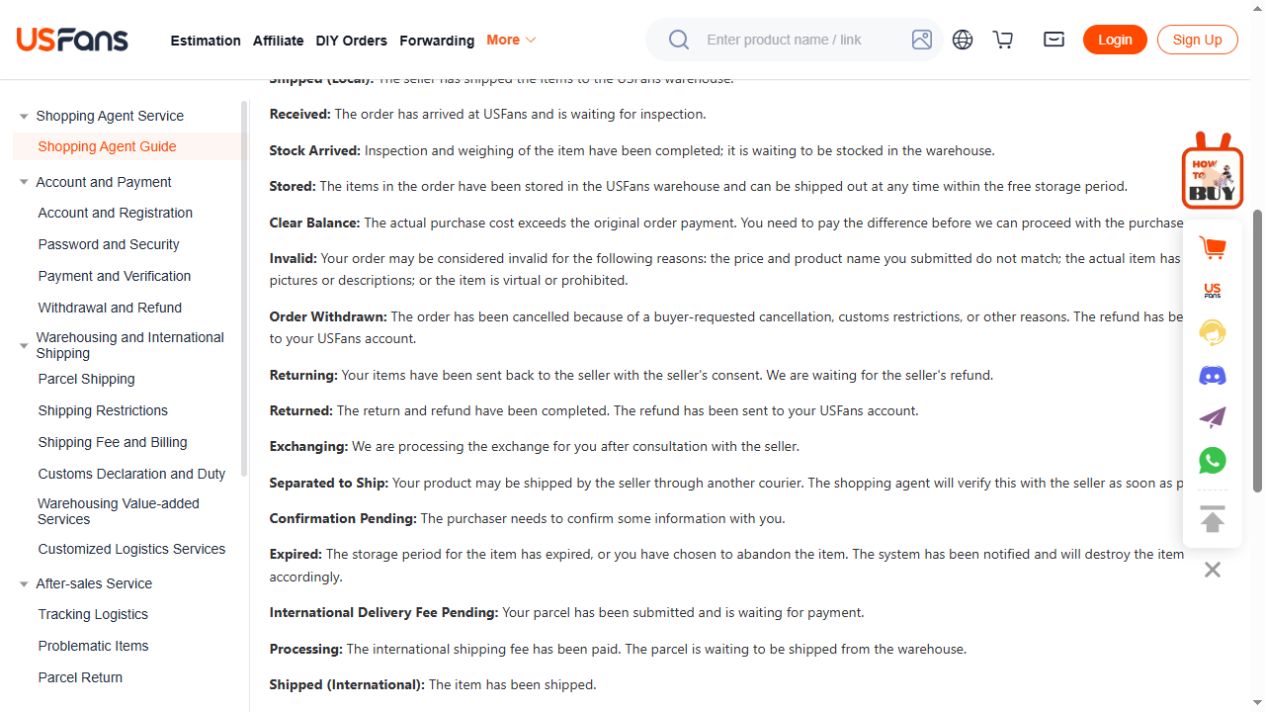
USFans return-status definitions checked on 1 October 2026 distinguish waiting for the seller's refund from crediting the platform account. A return marked as received is not the same as money available. Keep the order identifier, the return reference and the date of each status change.
Costs that can still apply
- Operation fees after the first qualifying request in a month
- China domestic delivery for the return
- Original shipping charges where the terms say so
- Destination duties or taxes already incurred
What is not promised
No page on this site can guarantee that a return will be approved, that a refund will be credited, or that a specific timeline will be met. Those outcomes depend on the merchant, the visible condition, the current policy and the payment method.
How to open a useful request
Describe one issue, attach one relevant view, and state the requested resolution. Include the order and option identifiers, the warehouse intake date and the exact visible difference. Remove passwords, full payment details and unrelated personal information before sending an image.
Related reading
Use the warehouse guide for intake and storage deadlines, the QC photo guide for what to document, and the support guide for the identifiers a request should contain.
Primary CTA: Check the product record before ordering
Compare the current product details and available options before adding this item to your shortlist.
View the product on OG Spreadsheet