USFans · English
USFans Shipping Calculator: Make an Estimate You Can Compare
Build comparable USFans shipping estimates using consistent parcel inputs, understand illustrative volumetric calculations and investigate changes before paying.
On this page
Use a USFans shipping calculator to compare a defined parcel, not to discover one universal shipping price. This guide explains the inputs and arithmetic; it does not generate a live shipping quote. The result of an estimator is only useful when you know which destination, contents, weight and dimensions produced it. Keep those inputs beside the estimate so you can recognise what changed later.
Before you have packed-parcel information, calculations are planning exercises. After packing details become available, replace your assumptions with those details and compare again. A calculation can be mathematically correct while describing a parcel you will never send.
Prepare the inputs before using the estimate
Start with the delivery country and the destination details requested by the estimator. Describe the goods accurately and check the units for weight and dimensions. Do not treat grams as kilograms or inches as centimetres.
Use packed dimensions where available. A shirt's folded size is not necessarily the size of a box containing that shirt and several other items. Likewise, goods-only weight leaves packaging out of the calculation. If you do not yet know those values, keep them identified as assumptions in your private plan.
The shipping guide explains why actual weight and volumetric weight can differ. Route-specific rules determine how those inputs affect the charge.
USFans' weight explanation checked on September 30, 2026 includes the packing materials in actual weight and describes services that charge the larger of actual and volumetric weight. It lists divisors of 5,000, 6,000, 7,000 or 8,000 according to the logistics provider. Read your selected service's rule; the list is not a choice of whichever divisor gives you the lowest figure.
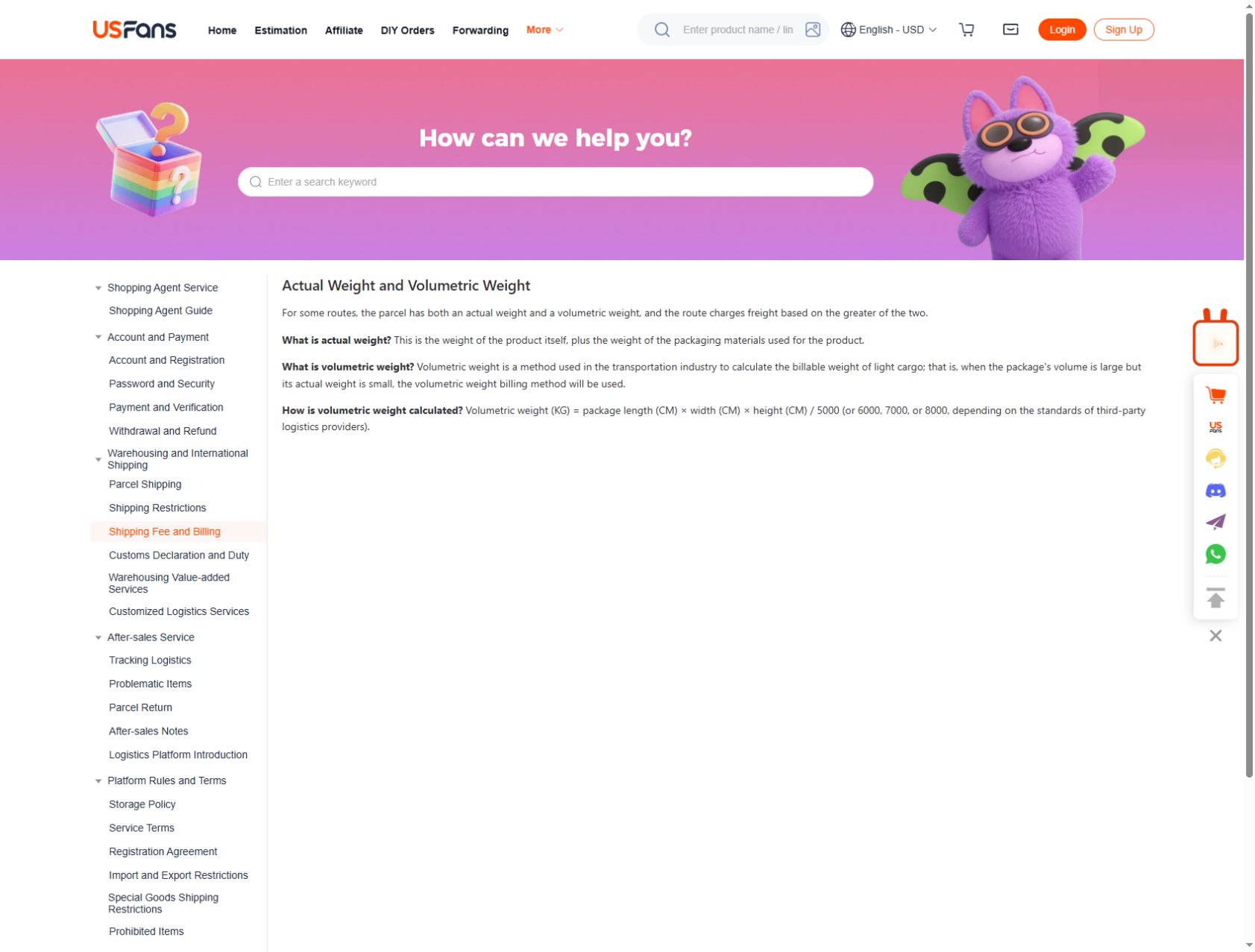
An illustrative volume calculation
Consider a hypothetical box measuring 40 × 30 × 20 centimetres. Its volume is 24,000 cubic centimetres. If a route used a divisor of 6,000, the corresponding volumetric weight would be 4 kilograms. If it used 5,000, the same dimensions would produce 4.8 kilograms.
These are arithmetic examples, not USFans quotes or a statement that either divisor applies to your route. They show why you must read the rule attached to the service being compared. The dimensions alone do not give a shipping price, and the actual parcel weight still matters where the route compares the two.
Changing the hypothetical height to 25 centimetres produces 30,000 cubic centimetres. With the same illustrative divisor of 6,000, that becomes 5 kilograms of volumetric weight. No extra product weight was needed for the calculated volume to increase.
Compare routes without changing the parcel
Run comparisons with the same inputs. If one estimate uses a lighter weight or different dimensions, you are comparing two parcel assumptions as well as two services. Resolve that difference before deciding which service costs less.
Record the route name, quoted amount, currency and the inputs used. Note separately any optional services included in one result but not another. Do not add an estimate from a different date or destination to the same comparison without making the difference clear.
If the result offers no suitable option, check for an input mistake and read the applicable restrictions. Do not change the contents to an inaccurate description simply to produce a route. Ask about the actual parcel instead.
Test a change one variable at a time
If you are deciding whether to add a product, first preserve the estimate for your original parcel. Then create a second scenario reflecting the addition as accurately as possible. Change the expected weight and dimensions where needed; do not assume an extra item affects only one of them.
For instance, this backpack with pink details on OG is a product you can inspect while building a shortlist. Its image does not establish packed dimensions or weight. Do not assign it invented shipping inputs just because it looks light or compressible.
Use the links organiser to keep an optional purchase separate from the items already chosen. That makes it easier to compare “with” and “without” scenarios without accidentally treating the addition as settled.
Understand why the final figure may differ
First compare the inputs, not just the totals. Was the final parcel heavier? Were its dimensions different? Did you select another route or add a service? Did you compare the same currency and charging stage?
Keep the earlier estimate and current parcel details together when asking about a difference. A precise question such as “Which packed dimension changed?” is more useful than assuming the calculator must be wrong. The support guide helps structure that request.
Do not assume every difference can be explained by volume. Inspect the actual breakdown and ask about anything that remains unclear before confirming the payment.
Before relying on a time estimate
A shipping calculator may present timing information alongside price, but check what period it describes. It should not silently become a deadline measured from the day you first found the product. The delivery-time guide separates the stages that can fall outside a transit estimate.
Keep a fixed event date separate from an estimated journey. If arriving by that date is essential, uncertainty itself matters when choosing whether to order.
Questions about shipping estimates
Can I get a precise quote before buying anything?
You can plan with the information available, but guessed packed weight and dimensions limit the precision. Recalculate when the actual parcel information is known.
Does volumetric weight replace actual weight?
Not universally. Read the selected route's charging rule. The arithmetic examples above explain volume only; they do not select a route or determine its final billable weight.
Should I add items to make shipping feel worthwhile?
Only if you want those items and have considered the revised parcel. A larger order is not automatically better value. Return to the outfit-planning page before expanding the purchase.
Compare the current product details and available options before adding this item to your shortlist.
View the product on OG Spreadsheet